Photo mandalas
Make a radial design with a circular form. Learn how the crop and symmetry change the center and outer rings.
Create a mandala from a photo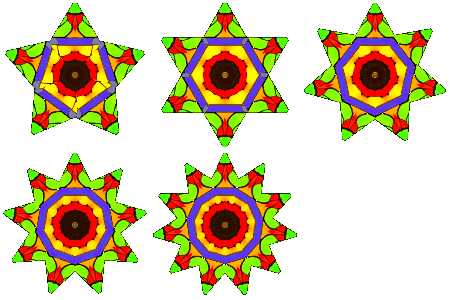
Kaleidoscope to GIF-Image
Images for Kaleidoscope
New image from URL:
or click here to select an image from your device:
or drag and drop a file from desktop / explorer / other website
or press Ctrl+V (Paste) to use an image from your clipboard:
Turn your photos into mirrored patterns. Explore circular mandala-style designs or repeating tiles, adjust the crop and colors, then download an image or build an animated GIF.
Free to use. No account or installation required. Start with a sample image or add a photo from your device.

Make a radial design with a circular form. Learn how the crop and symmetry change the center and outer rings.
Create a mandala from a photoTurn a series of edits into animation frames. Choose the frame count and delay, preview the loop and download it.
Make a kaleidoscope GIFSet a portrait or landscape canvas, refine the colors and export a background at your screen's dimensions.
Create a kaleidoscope wallpaperThe editor includes several forms, a 3–32 sector control, rotation and crop zoom. Adjust brightness, contrast, saturation, hue and inversion, add text, or choose a background color. Different forms use these controls in different ways.
Download a still image as PNG, JPG or WebP. GIF export can combine recent editing-history states into a repeating animation. Use Add Design to keep editable settings in this browser; downloading an image does not save those settings in the file.
Read the full feature guide, explore kaleidoscope examples, or make a design with text using our congratulations card ideas.
Photos selected from your device are read and processed locally in the browser. Loading an image by URL contacts its server; sharing an exported image sends it to the service you choose. See the privacy policy for website data processing.
You can use the tool without installing it. Supported browsers also offer installation as a progressive web app for offline use.
Use P for pattern position, Z for zoom and R for rotation, then adjust with the arrow keys. Keys 1–5 change the speed; Q exits the active mode. Use F for the page's fullscreen mode and Q or Escape to exit it. Your browser's fullscreen shortcut is separate.
Need help choosing a photo or saving a result? Read the frequently asked questions. Prefer German? Open the Kaleidoskop-Generator auf Deutsch.